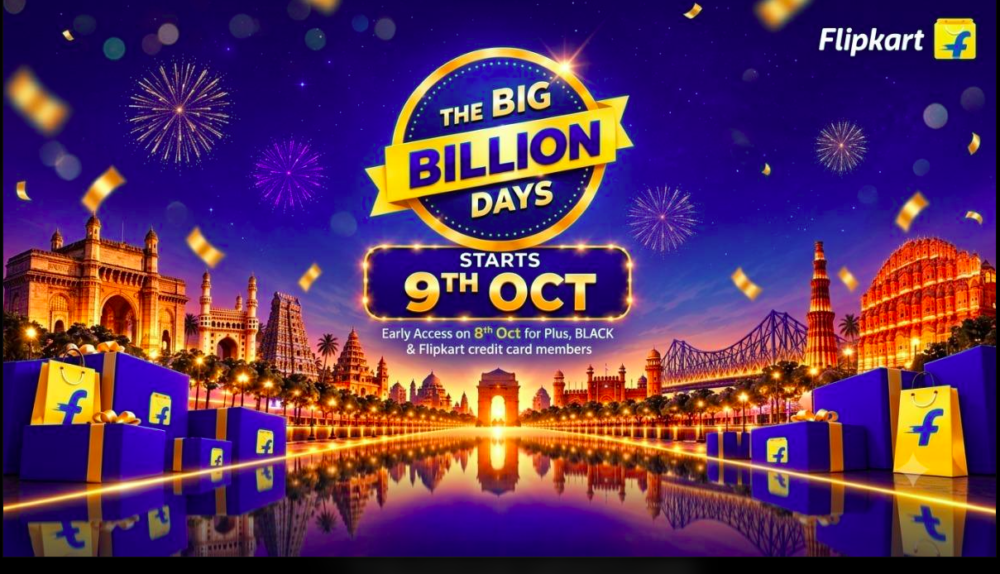
Flipkart’s Big Billion Days (BBD) sale is one of the biggest online shopping events in India, with customers waiting for discounts on smartphones, electronics, appliances, fashion, and other products. However, during high-demand sale periods, some customers may face problems such as order cancellations, unexpected delivery delays, or products becoming unavailable for their location.
If your Flipkart BBD order was cancelled after you placed it, you may be wondering why it happened and whether you can place the order again.
An order cancellation can happen for several reasons, including product availability, seller fulfilment issues, delivery serviceability, inventory limitations, payment-related problems, or other operational reasons. In some cases, availability can also differ depending on the customer’s PIN code.
Here’s everything you should know about the Flipkart BBD order cancellation issue and the steps you can take if your order has been cancelled.
Why Was My Flipkart BBD Order Cancelled?
There can be several reasons why a Flipkart order is cancelled during the Big Billion Days sale.
1. Product Stock or Inventory Issues
One of the most common reasons can be limited inventory.
During BBD, thousands of customers may attempt to purchase the same product at a discounted price. A product can appear available while you are placing the order, but inventory may change rapidly due to high demand.
In such situations, an order may not be fulfilled if the required stock is no longer available.
2. Seller-Related Issues
Products available on Flipkart can be supplied by different sellers. If a seller is unable to fulfil an order due to stock, fulfilment, or operational problems, the order may be affected.
Customers should therefore check the seller details associated with the product before placing an order.
3. Location and PIN Code Serviceability
Another possible reason for a delivery problem is location-specific serviceability.
A product may be available for delivery to one PIN code but unavailable for another. This can depend on factors such as:
- Seller location
- Warehouse availability
- Inventory distribution
- Delivery network
- Logistics capacity
- Product-specific delivery restrictions
Therefore, seeing a product available on Flipkart does not necessarily mean that it can be delivered to every location.
Why Is the Same Flipkart Product Available in One Location but Not Another?
This is a common question during major shopping events.
Online marketplaces use multiple sellers, warehouses, fulfilment centres, and logistics networks. Product availability and delivery options can therefore vary by PIN code.
For example, a product may be available for delivery in one city because a nearby fulfilment centre has stock, while the same product may not be serviceable in another location.
During a high-demand sale such as Big Billion Days, these differences can become more noticeable because inventory can change quickly. tradecol
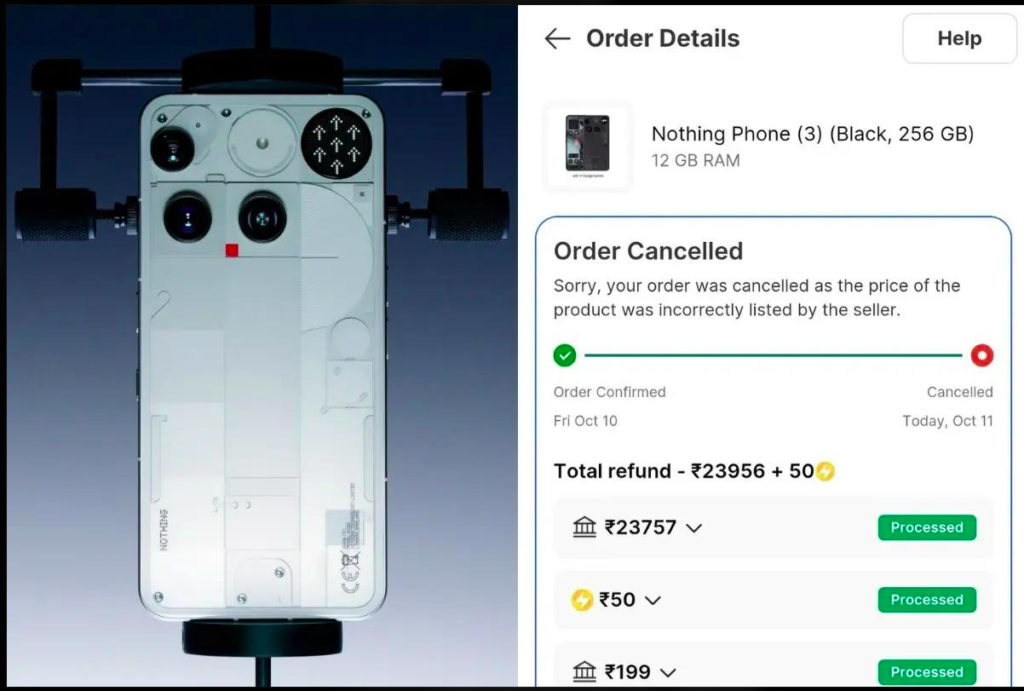
Can Flipkart Cancel an Order After It Has Been Confirmed?
Yes, an order confirmation does not necessarily guarantee that the order will ultimately be delivered.
An order may be affected by issues related to inventory, seller fulfilment, payment, serviceability, logistics, or other operational circumstances.
If your order has been cancelled, the first thing you should do is check the cancellation reason shown in your Flipkart order details.
It is important not to assume that every cancelled order is related to the customer’s location. The actual reason can vary from order to order.
What Should You Do If Your Flipkart BBD Order Is Cancelled?
If your Flipkart Big Billion Days order has been cancelled, you can take the following steps.
Step 1: Check Your Order Details
Open your Flipkart account and go to My Orders.
Select the cancelled order and check whether Flipkart has provided a specific reason for the cancellation.
Step 2: Check Your PIN Code
Try checking the product again using your delivery PIN code.
The product may still be available for another location while being unavailable for your particular PIN code.
Step 3: Check Other Sellers
If the product is still listed, check whether another seller is offering the same product.
Compare:
- Product price
- Seller rating
- Delivery date
- Availability
- Return policy
- Warranty information
Step 4: Check Your Refund Status
If you paid for the order in advance, check the payment and refund information associated with the cancelled order.
The refund process and timing can depend on the payment method and transaction status.
Step 5: Contact Flipkart Support
If you believe your order was cancelled incorrectly or you cannot understand the reason for cancellation, contact Flipkart through its official customer-support channels.
Keep your order ID and other relevant information ready when contacting support.
Does Location Cause Flipkart BBD Order Cancellation?
Location can affect product delivery and serviceability, but a cancelled order does not automatically mean that it was cancelled because of the customer’s location.
Factors such as inventory, seller availability, warehouse allocation, PIN code serviceability, and logistics capacity can all affect whether an order can be fulfilled.
Customers should therefore check the specific cancellation information associated with their order before reaching a conclusion.
Why Are BBD Orders More Likely to Face Availability Problems?
Big Billion Days attracts a very large number of shoppers because of its discounts and limited-time offers.
High demand can result in:
- Products selling out quickly
- Rapid inventory changes
- Changes in delivery estimates
- Limited availability for certain PIN codes
- Increased pressure on fulfilment and logistics networks
As a result, the availability shown when an order is placed may change later.
What If the Product Price Increases After My Order Is Cancelled?
This can be particularly frustrating for customers who purchased a product during a limited-time BBD offer.
If your original order was cancelled and the product is subsequently available at a higher price, check the cancellation reason and contact Flipkart Support if you believe there has been an error.
Customers should retain their order details, screenshots, invoice information, and other relevant records when raising a complaint.
Flipkart BBD Order Cancelled: Frequently Asked Questions
Why was my Flipkart BBD order cancelled?
Possible reasons include inventory shortages, seller fulfilment problems, delivery serviceability, payment issues, or operational and logistics constraints.
Why is my Flipkart order cancelled for my PIN code but available elsewhere?
Delivery availability can vary by PIN code because sellers, warehouses, inventory, and logistics networks differ by location.
Can I order the product again after cancellation?
If the product is still available and your PIN code is serviceable, you may be able to place another order. However, the price, seller, stock status, and delivery date may have changed.
Will I receive a refund if my prepaid Flipkart order is cancelled?
If a prepaid order is cancelled, check the refund information in your order details. The applicable refund process and timeline depend on the payment method and transaction status.
What should I do if Flipkart does not explain why my order was cancelled?
Check the order details first. If the reason is unclear, contact Flipkart Support with your order ID and relevant transaction details.
Can I complain about a cancelled BBD order?
Yes. If you believe there is an issue with your order cancellation, you can raise the matter through Flipkart’s official support process and provide the relevant order information.
Final Takeaway
A Flipkart BBD order cancellation can be frustrating, particularly when the product was purchased at a limited-time sale price. However, there can be several reasons behind a cancellation, including inventory availability, seller fulfilment, PIN code serviceability, payment issues, and logistics constraints.
If your order has been cancelled, first check the cancellation reason in your order details. You can then check the product’s availability for your PIN code, compare other sellers, monitor the refund status if applicable, and contact Flipkart Support if you believe the cancellation requires further clarification.
For customers shopping during major sale events, it is also a good idea to keep order confirmations, screenshots, payment records, and other relevant information until the order has been successfully delivered.